Showing posts with label TechTalk. Show all posts

Sunday, October 05, 2014

Nokia Lumia 530 - Specs, Unboxing and Camera (Sample Pictures!)

Aloha everyone,

Nokia are known for their great camera phones, and to be honest, even this Nokia Lumia 530, with only a 5MP camera shoots decent photos.  The camera itself doesn't have a flash, nor does it have a dedicated camera button, or a front facing camera, a zoom nor focus, but with all that said... it's not too bad for the entry level phone.

Check out this pictures and check out my unboxing video and also upcoming video with photos and video shot with the Nokia Lumia 530.

Do you have any questions about the Nokia Lumia 530?  Post a comment!  =D


Unboxing and specs


CHECK OUT MY YOUTUBE VIDEOS HERE: http://www.youtube.com/user/hawaiiinsomniac/videos 
Mahalo for reading. Until next time.

Friday, October 03, 2014

Extending your Windows Phone 8.1 Battery Life

Hey everyone,

On this video, we record a tutorial on tips and tricks on extending your Windows Phone 8.1 battery life.  Everything from WiFi, background apps, brightness, and so forth!

Enjoy - do you have any other tips to add?  Post them in the comment section!

Want more related tech news? Click #techtalk 


CHECK OUT MY YOUTUBE VIDEOS HERE: http://www.youtube.com/user/hawaiiinsomniac/videos 
Mahalo for reading. Until next time.

Monday, May 19, 2014

TechTalk - Upgrading and Customizing Windows Phone 8.1

If you are a Windows Phone owner - the official release date is sometime in mid June, if you want to download it early... check out this video!

UPDATE - IT'S OCTOBER - IF YOU STILL DON'T HAVE YOUR WINDOWS PHONE 8.1 UPDATE, FOLLOW THE VIDEO INSTRUCTIONS!

Did it work for you?  Don't forget to subscribe!  =D


Yup, once you've upgraded to Windows Phone 8.1, I am sure you will want to customize it, so here are tutorials on how to customize your updated phone!

EXTEND YOUR BATTERY LIFE


QUICKLY SILENCE YOUR PHONE


LIVE APP FOLDERS!


AUTOMATIC APP UPDATES!


CUSTOMIZE YOUR WINDOWS PHONE 8.1 


HOW TO GET CLEAR TILES!


CHECK OUT MY YOUTUBE VIDEOS HERE: http://www.youtube.com/user/hawaiiinsomniac/videos 
Mahalo for reading. Until next time.

Monday, January 06, 2014

TechTalk - How to get a cheap Dell Alienware Gaming Laptop

Cheap in this case is relative since the normal prices of Dell Alienware Gaming Laptops are $1,099, $1,499 and $2,099 for 14", 17" and 18".

I'm going to list a couple of ways to get the Alienware laptop for a little cheaper - NOTE - if you don't want to purchased a refurbished product - you can stop here... LOL, I don't know of any way to get a cheap one.

I was able to purchase my Alienware 18 

SOURCE: ALIENWARE.COM
1) Go to Dell Outlet
2) Follow Dell Outlet on Twitter (or just check occasionally)
3) Wait for a sale!  I bought mine when it was 30% off all refurbished products!
I got my Dell Alienware M18X R2 for $1439.25!! 

Lucky me - shipping was FREE!

If you're in doubt about the quality of the Dell Refurd products...  Here is a video of my unboxing.  Alienware Refurb looked to be in great condition!

This also comes with the same warranty as the Alienware products - you can also upgrade the warranty as well!


CHECK OUT MY YOUTUBE VIDEOS HERE:
http://www.youtube.com/user/hawaiiinsomniac/videos 
Mahalo for reading. Until next time.

Friday, December 13, 2013

2013 - A look back

Wow, another year is coming to a close.  I'm starting to sound like a broken record, but I'm very fortunate.
***Trying this again, my first time writing this was deleted***


Check out my previous End of Year Blogs
CLICK HERE for last year's (2012) A look back...
CLICK HERE for 2011's A look back...

This year has been really amazing.  I am nearly finished with my Master's Degree - starting my thesis this January 2014.  I've also been quite fortunate to travel around this year, both to new places and to familiar places.  This year I've visited Spain (Madrid, Palma Mallorca, Bilbao, Asturias, Valencia), Portugal, United States (Florida, Nevada, California, Hawaii: Oahu, Big Island, Maui), France and Netherlands. Also visited a few new countries this year: Croatia, Hungary and Poland - Not counting this holiday trip in December and January.

I am also simplifying my life.  My following accounts have been deleted: Facebook, WhatsApp, Instagram, Tumblr.  Sticking to Twitter, and Google+.  I've also deleted my Spanish blog and several other accounts and emails.  I will soon be blogging in Spanish as well via this blog.   

This year, my most popular blogs involved technology.  As most people are becoming more connected and with different technologies emerging (Windows RT, Windows 8, Windows Phone 8, Chromebook, Chromecast, Nokia 41 MP camera!) people are just naturally curious about the new technologies and though there are plenty of technology blogs out there, I actually respond to every single comment I receive!  

2013 - Most viewed blogs

2013 - Top 3 favorite pictures
It was quite difficult to just pick three pictures considering the amount of adventures I had this year.  I wanted to pick three that were full of joy and emotion and one which was just pretty cool.  Enjoy.

Me - Playa de los cathedrales

Michelle and I - Parasailing

Andrea and I
2013 - My Top 3 most viewed YouTube videos
This year, my most viewed YouTube videos involved male dancers, Surface RT, and Café con leche with Max.  Enjoy!

2nd Runner Up - TravelTalk - Na Kane - Male Revue Show - The Men of Paradise


1st Runner Up - TechTalk - Microsoft Surface RT - App List


MOST VIEWED - Café con leche with Max - Introduction

CHECK OUT MY YOUTUBE VIDEOS HERE: 
http://www.youtube.com/user/hawaiiinsomniac/videos 
Mahalo for reading. Until next time.

Saturday, November 30, 2013

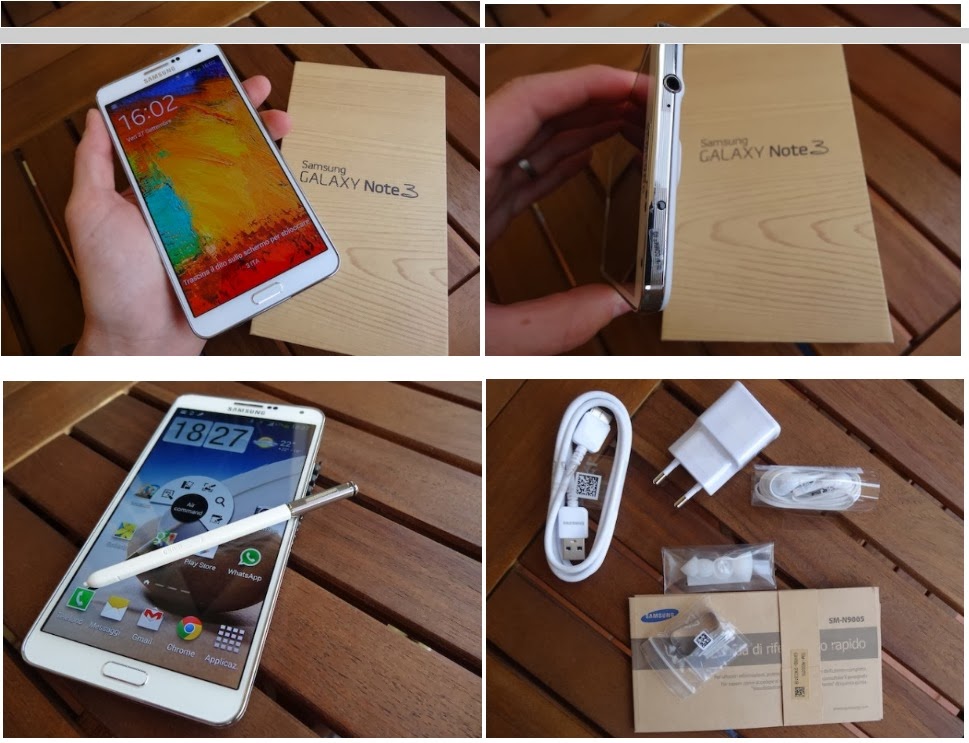
TechTalk - How to spot a FAKE Samsung Galaxy Note 3 (and eBay tips)

UPDATE 01/10/2014: NEWEST VIDEO (SIDE BY SIDE COMPARISON!)


UPDATE 12/16/2013 - Special Thank You to T-Mobile for writing a letter stating this is a fake!

READ LETTER HERE!

THANK YOU FOR YOUR SUPPORT!

OVER 2,000 RETWEETS!  =D

UPDATE: 12/17/2014 - Getting my money back, I had to sign an affidavit that I destroyed the phone, which I did - AFTER taking tons of photos - SCROLL TO BOTTOM to see pics!

Picture of item on eBay


MORE PICTURES WILL BE UPLOADED SOON.

IF YOU'RE DEALING WITH PAYPAL - SCROLL TO THE BOTTOM!

SARCASM - Paypal doesn't even click on the links before they respond!


I recently purchased a  +Samsung Mobile Galaxy Note 3 from +eBay and I was so excited to get the package, after all, I waited an entire week before the package arrived.

After opening the package, I grew with anticipation, I have been wanting a Galaxy Note 3 for quite some time.  Unfortunately, the more I played with the device, the more I felt that it was not quite right.  Some people have been asking me, why shop on eBay in the first place?! Well, as an English teacher, my salary isn't that great and I don't mind buying used goods for myself.  In fact, I've been an eBay customer since 2006.


First, the stylus didn't seem right, I've watched enough videos (in anticipation of my device) to know that this stylus was a fake.

FAKE STYLUS: The "button" was a fake, not to mention the tip was too big.
For new buyers, the phone will open "Air Command" once you remove this stylus, so you would think that it was real - DO NOT BE FOOLED!

REAL STYLUS: Major difference, there is the logo on the handle.  Another main difference is the button is actually two-toned (and press-able).


SOURCE: SAMSUNG MOBILITY
Besides the stylus, you are buying a PREMIUM phone.  Any bleeding from the display (SEE VIDEO), discoloration or cheap feeling from the phone should raise flags.  In fact, my phone when turned on, did not even show Samsung, it showed Android.  The fastest way to see if you have a FAKE NOTE 3 is to download an application: aptly titled Genuine Galazy S4/Note 3.


CLICK HERE - to download this app.

Once you open the app, it will automatically tell you at the top if you have a Genuine Samsung or a FAKE!

The phone that was shipped to me only had 1 GB of RAM and 720p resolution, as opposed to the 3GB of RAM and 1080p resolution that is suppose to come with the Galaxy Note 3.


If you prefer, here is a video where you can see that this phone is a fake.

UPDATE: 12/17/2013 - ALSO SHOT A PART 2 VIDEO...
This is more condensed and more detailed


If you have a genuine phone - congratulations.

If you have a fake and you bought it from eBay, file a claim immediately!

To prevent this from happening to you, here is some advice:
1) Always pay with Paypal - if you are purchasing from eBay, directly sending bank transfers does not cover you from this type of transactions.

NOTE: I have filed a claim with Paypal, and they have asked me to provide documentation from an unbiased 3rd party.  I have included a screenshot of my fake phone, but I am not sure if it is enough.  Most 3rd party companies, such as a dealer, will probably not write this letter since you didn't buy the product from them, and this is assuming you live in the city or in the suburbs where you have access to a 3rd party company.

UPDATE: 12/01/2013 - Unfortunately eBay will only accept this "LETTER" from a 3rd party.
This phone is so blatantly fake that it's ridiculous!

2) Buy from someone with feedback!  Do not buy a product from someone with 0 feedback selling an expensive phone!
3) Buy from someone with pictures with watermarks.

Example, when I sell items on eBay, I take a picture with my USER ID someone on there, so you know I have the item in hand.

PROBABLY FAKE: This was the picture used by the person who sold me the counterfeit Samsung device!
Stock photo, with no differentiating factors.

UPDATE: 02DEC2013
According to Paypal - since they are an INTERNET company, they can only accept a letter from a 3rd party.  This is really unfortunate as most companies will not write a letter for anyone, since #1) I didn't buy the cell phone from their store, #2) it's the holiday season - they're actually going to be busy helping paying customers. #3) #DUH

+PayPal has lost all common sense in this situation.  Obviously they haven't tried going into a T-Mobile store and asking if they can write a letter that this phone is fake.


Update: 06.Dec.2013
PAYPAL IS UNYIELDING.

I have sent Paypal various documents, pictures, faxes, chats with Samsung, emails from Samsung - but it will not WORK!

THEY WILL NOT WANT ANYTHING EXCEPT A LETTER FROM A 3RD PARTY WITH THEIR CONTACT INFORMATION -  WHICH SAMSUNG CANNOT PROVIDE. WHY?  The sticker on the back shows that its a real Samsung phone (even though we've seen here and the video its blatantly a fake)

What you can do is confirm what carrier the phone is for.  For me, my model number is SM-N900-T so its for T-Mobile.  Hopefully there is a cell phone carrier near your area.

Before you go there, DOCUMENTATION, DOCUMENTATION, DOCUMENTATION!  PRINT OUT THE PAYPAL EMAIL, EBAY LISTING, ETC.  Be nice and courteous and explain your situation clearly!


SAMSUNG CHAT

PAYPAL RESPONSE

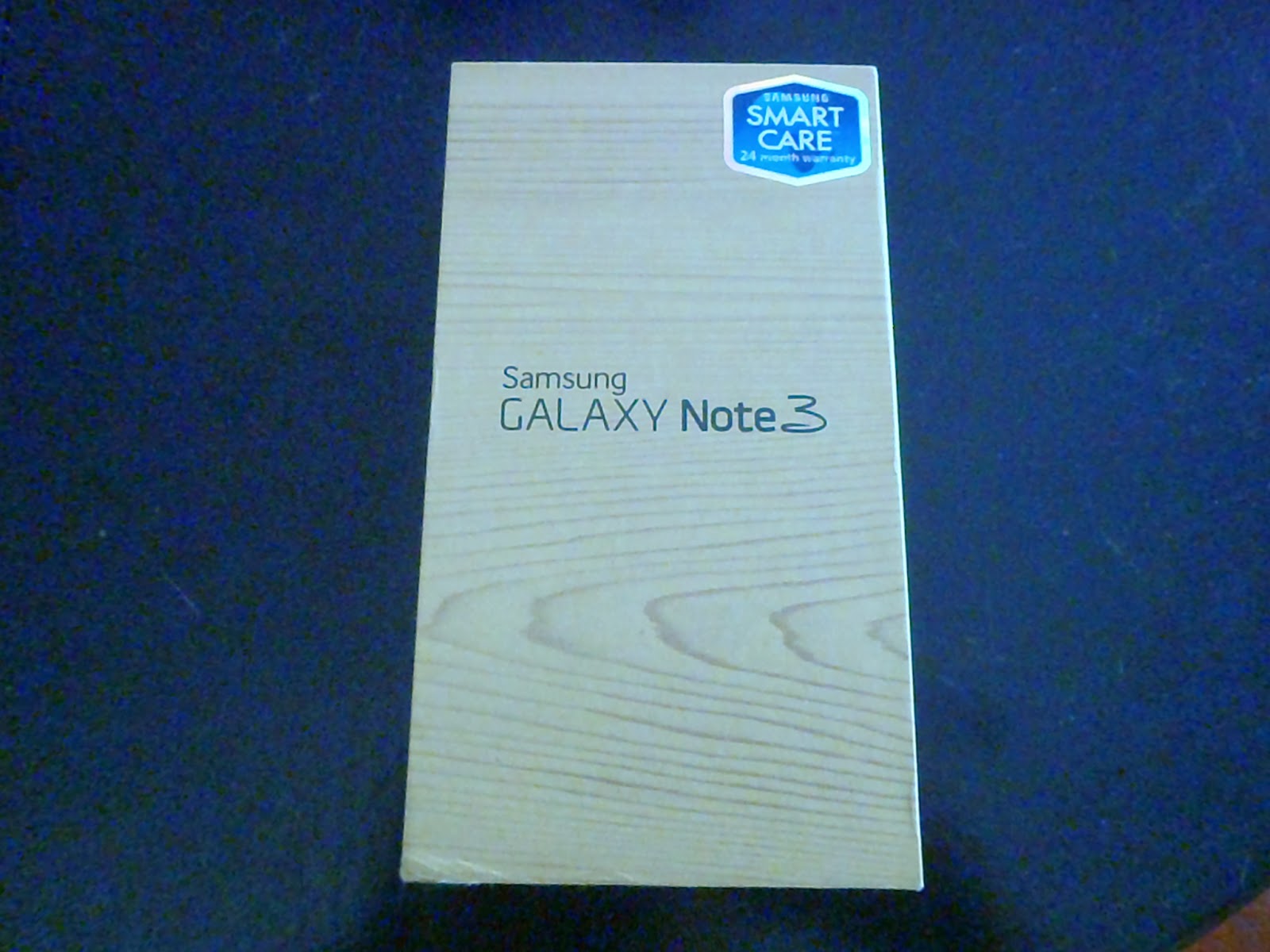
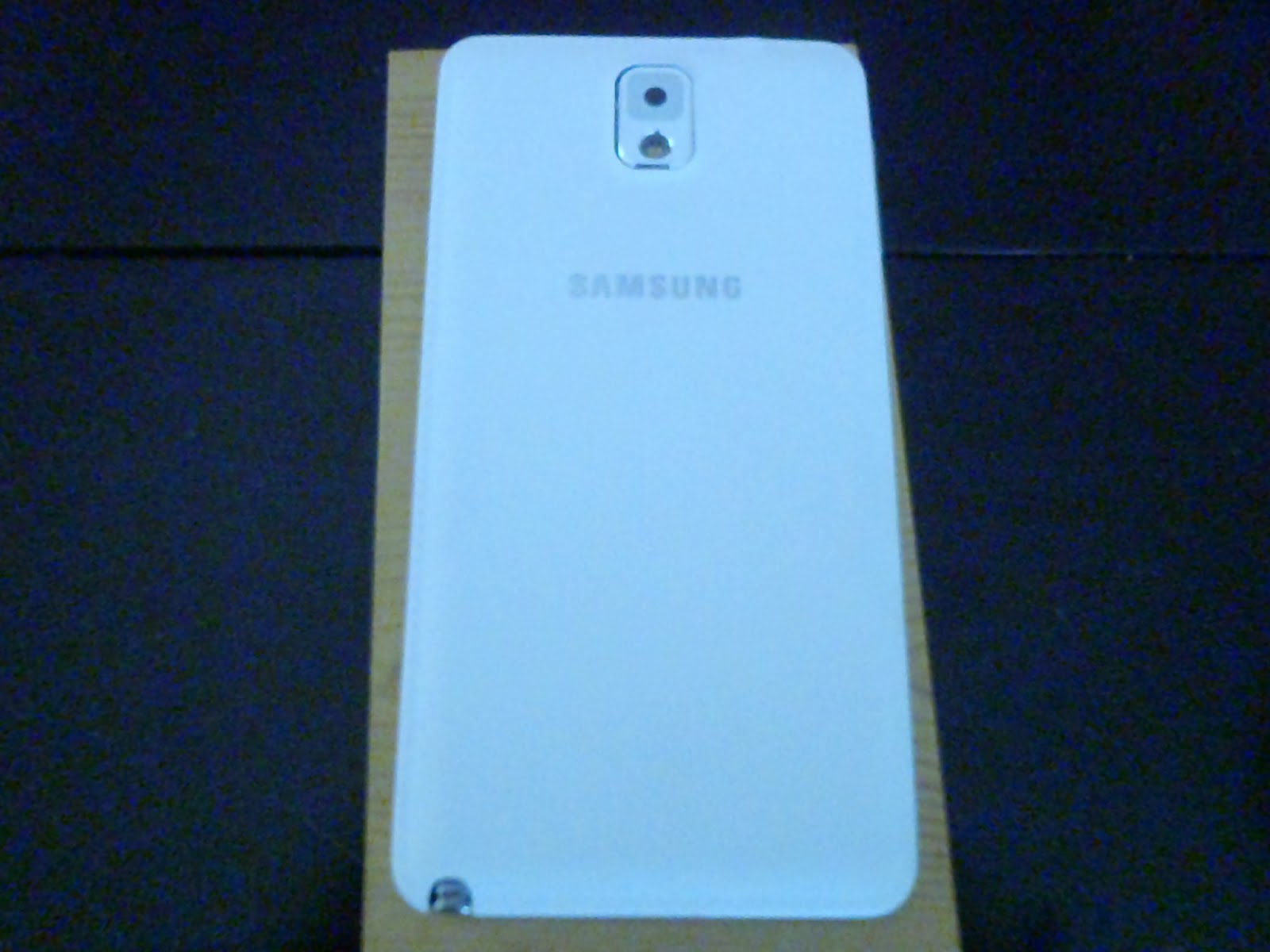
PICTURES OF FAKE SAMSUNG GALAXY NOTE 3


Here is the shorter (more condensed) version of How to spot a fake Samsung Galaxy Note 3


One of the prerequisites to get your money back from Paypal is to sign an affidavit that you destroyed the item.  How do you do that?  Well, you can just throw it away, I was inspired by chopped and I decided to cook an omelette.


CHECK OUT MY YOUTUBE VIDEOS HERE: 
http://www.youtube.com/user/hawaiiinsomniac/videos 
 Mahalo for reading. Until next time.

Sunday, November 17, 2013

TechTalk - Preorder your Nokia Lumia 1520 for $99.99 + $20 for apps!

If you're reading this you're probably interested in the Nokia Lumia 1520, so just going to write about pre-order options and let's save you some $$$!

Just a quick review.  The Nokia Lumia 1520 is a 6" cell phone with a 1080p display and a 20MP camera - not to mention with expandable memory (takes up to 64gb microSD card) and a huge 3,400 mAH battery - this should last you at least a day without charging.

The cheapest place to pre-order a Nokia Lumia 1520, is through the AT&T website.

You can order through the Microsoft Store, who will give you a $50 app card, but you'll have to pay $199 upfront.  This is double the price that you'll pay if you preorder through AT&T's website - this is a WEB exclusive AND the only place you can order the Yellow version of the Nokia Lumia 1520.


In addition to saving $100 off your normal price, head over to Nokia promo - CLICK HERE, to get an extra $20 for apps to be used in the Windows store - this isn't restricted to the Nokia Lumia 1520, you can buy the new 2520, 1020, 928, 925 or even the 521 - the prepaid variant (which only costs $99 - without a contract!)


I'll keep this updated with the cheapest place to get a Nokia 1520 - since Black Friday is coming around the corner!  Thanks for reading!

CHECK OUT MY YOUTUBE VIDEOS HERE: 
http://www.youtube.com/user/hawaiiinsomniac/videos 
Mahalo for reading. Until next time.

Sunday, November 10, 2013

TechTalk - Best Prepaid for Google Nexus 5 (USA and Spain)

Congrats!  Now you have your new Google Nexus 5 or any UNLOCKED phone!  Now what?!
Time to activate that with the best and cheapest sim plan!


Here are a few recommendations to save you some $!


USA - T-Mobile
Cell phone plans in the United States can run upwards of $100+, this is the best plan in the United States.  You receive unlimited data (5GB at 4G), but throttled after 5GB, and unlimited SMS with 100 minutes of talking, all for $30.  However, you cannot get this plan at T-Mobile, you will have to go to Walmart!

Spain - Tuenti
There are many affordable plans in Spain, but one of the cheapest plans in Spain is through Tuenti.  With Tuenti their most affordable plan of 6 Euros, nets you 1GB of data.  Last month, I only used 100MB of data, considering I use WiFi at the house, at the coffee shops and at work.  To save you more money...

CLICK HERE to activate Tuenti and get an extra 5 EUROS!

CHECK OUT MY YOUTUBE VIDEOS HERE: 
http://www.youtube.com/user/hawaiiinsomniac/videos 
Mahalo for reading. Until next time.

Sunday, November 03, 2013

TechTalk - Windows Phone 8 - 8.0.10512.142 - 8007000E - Google Contact Sync Problems

You just got your Nokia 920 or 1020 and you're syncing your email through the settings.

You receive the "Attention Required" error - "Your phones does not have enough storage..."

This is impossible because its a brand new phone!  Granted, I have over 500 contacts in my Gmail account, but that should not take up 24GB.  So what do you do?!

Follow this STEP BY STEP (This will only work until December 31, 2013).
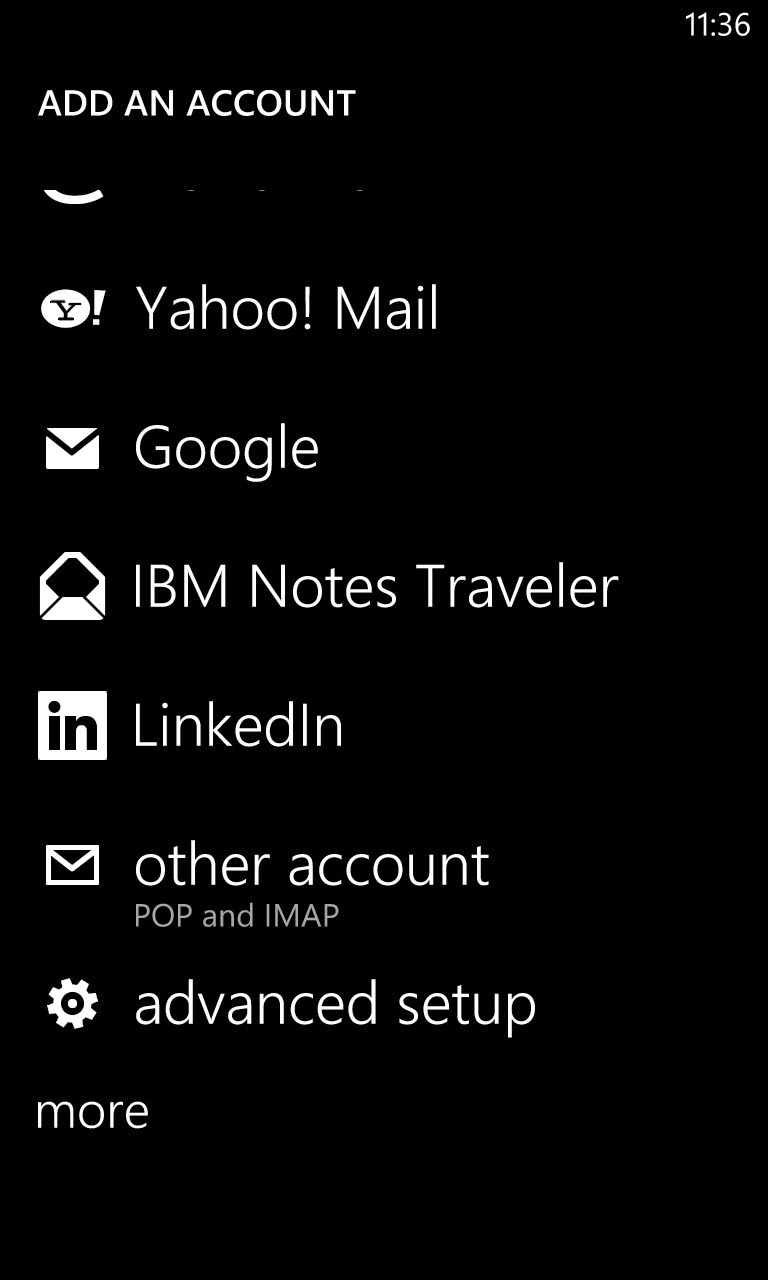
1) Delete your current Gmail account on your Windows Phone.
2) Click Advanced Setup
3) Enter your Gmail credentials - INCLUDE @gmail.com

4) Enter the following settings...
4a) ActiveSync server address: m.google.com
4b) ActiveSync domain: google
4c) Gmail Exchange ActiveSync TLS/SSL required: yes
ONLY SELECT EMAIL AND CONTACTS

If you want to sync your calendar, you'll have to do this another way (I'm writing another blog about it) I have multiple calendars and there's a way! =)

Voila!  It should work perfectly.  If you have any questions, please write me a comment and I'll help you out!

CHECK OUT MY YOUTUBE VIDEOS HERE: 
http://www.youtube.com/user/hawaiiinsomniac/videos 
 Mahalo for reading. Until next time.

Saturday, November 02, 2013

TechTalk - New Phone - Nokia 1020

Aloha everyone,

I have a new phone and its the Nokia 1020.  I'm excited to use this phone, I've read so much about the camera and I can't wait to try it out.

If you have any questions about this model the Nokia 1020 or windows phones in general post it in the comment section.

Nokia 1020

CHECK OUT MY YOUTUBE VIDEOS HERE: 
http://www.youtube.com/user/hawaiiinsomniac/videos 
 Mahalo for reading. Until next time.

Thursday, October 31, 2013

TechTalk - Why I love my Surface RT - #7 and #13

Aloha everyone!

I'm writing a little bit about my Microsoft Surface RT.  I hear a lot of negative press about it and many people such negative options about it (reading from tech blogs and comments) and I've had my Surface for a while know and I really like it - so, I'm recording 20 short videos on why I love my Surface RT.  I will be posting a couple every other day, check these videos out and stay tuned!

Yes, I can probably just write about it, but its better if you see it in person.


CHECK OUT MY YOUTUBE VIDEOS HERE: 
http://www.youtube.com/user/hawaiiinsomniac/videos 
 Mahalo for reading. Until next time.

TechTalk - Top 3 IM (Instant Messaging) applications

Alright everyone,

If you have a smart phone, chances are you probably have a IM application.
Instant messaging applications doesn't cost you to send messages if you have a data plan or WiFi.
With many options out there, I wanted to write about  my favorites and why (and other IM applications that did not make the top 3).

Top 3
1) Viber - CLICK HERE
2) Google Hangout - CLICK HERE
3) WhatsApp - CLICK HERE

WhatsApp - This is a great application.  The service has a large number of users, so finding others to contact is easy (assuming you have programmed phone numbers into your phone).  For example, if you keep your contacts updated on your device, once you download the application, you will be able to see everyone on your contact list who also uses WhatsApp.  Another great thing about this service, is the ease of group chats, sharing photos, and you can also share your location.  One of the things I don't like about WhatsApp, which my top 2 choices have is the capacity to message from your computer or tablet (I'll explain further in detail), so basically to communicate you will need the phone that you used to register your account to.

Google Hangout - I love this even more than WhatsApp.  If you already use Gmail, individuals are autopopulated into your messaging list, so you can just message anyone.  Unlike WhatsApp, Google Hangout (GH), doesn't allow you to share your location, but you can video chat.  One of the things I really love about GH and Viber as well is the ability to continue a conversation with any device you have.  For example, I'm walking home chatting with friends and once I get home, I sort of want to check my emails at the same time, so I just turn on my computer, open a browser, log into Gmail, and voila - you can continue your chat online.  This is great as well especially when you are having long chat conversations (typing on a mobile device gets old after 5 minutes), so with GH and Viber, you can chat away on your desk, mobile, tablet, etc.  You're not limited to 1 device.  One downfall of this application is that the other person has to have a Gmail account (which most people do), but they also have to use Google hangout on their mobile device or the chat while checking Gmail on a computer browser.  

Viber - This application won the #1 spot by a hair, for a couple of reasons.  Viber is available on almost every single platform.  Android, iOS, Windows Phone, Blackberry, Desktop (and laptop computers) has the capacity to run Viber.  This is great, because #1, you don't have to have Gmail (another reason why I don't have Facetime on my top 3, not everyone has a iOS device).  Similar to Google Hangout, you can chat from your computer, your phone, tablet, etc.  Another plus Viber is that you can make phone calls through the application and it doesn't cost any money!  The application is also easy to install and easy to use.  

The rest of the field.

BBM - According to recent news there were 20 million downloads of the popular application; however, after installing and signing in (which happened to be a long drawn out process because I HAD a blackberry before and of course, I could not remember the password.  Fortunately, I remembered my challenge password), I had only 2 friends.  Yes, this is quite a drastic difference, considering on Viber, I have over 100 contacts, and on my GMail, probably closer to 200.  Blackberry still uses PIN code (an alphanumeric code) as your ID, so finding friends isn't as easy as the other applications.  While there are also other options to add people, like QR scan, it really isn't easy compared to the rest of the field.  One of the things I did LOVE about BBM is the speed of the messages, they were almost instant; unlike WhatsApp which appeared to have a 1-3 second delay per message (on the same phone).  BBM has the same core functions as WhatsApp, sending pictures, etc, but does lack the option to send your location.

LINE - This application is good.  You can chat from your computer (Windows 8) and your phone as well.  However, the interface isn't as clean and easy to use as Viber.

Personally, I have uninstalled all of the IM apps (minus Viber, Google Hangout and WhatsApp), having too many options to chat is counter productive and a drain on your battery life.

What's your favorite IM application?

Do you have any questions about any of the IM apps?  Post in the comment section.

CHECK OUT MY YOUTUBE VIDEOS HERE: 
http://www.youtube.com/user/hawaiiinsomniac/videos 
Mahalo for reading. Until next time.

Saturday, October 19, 2013

TechTalk - Nokia Lumia 920 - Spinning Gears FIX!

You have a Nokia Lumia 920 (or 520, 620, 820, 1020, 925, or 928 - I think that's all the Nokia Lumia Windows Phone 8 series) and you decide to do perform a factory reset...

But you encounter a problem, once your phone is restarting, all you see is SPINNING GEARS.

DO NOT PANIC.

Well, of course you can panic a little, mobile phones aren't exactly cheap and such, but just follow the next steps and you'll be back to your fully functional Nokia Lumia series phone!  WOOT WOOT.

STEPS... 
#1 - Breathe
#2 - Hold down the following buttons
(Power, Volume UP and Volume DOWN)
#3 - Wait until phone resets (if it shows spinning gears again - Repeat Step 2)

Check out my video.


CHECK OUT MY YOUTUBE VIDEOS HERE: 
http://www.youtube.com/user/hawaiiinsomniac/videos 
 Mahalo for reading. Until next time.

Tuesday, October 01, 2013

TechTalk - A month with Windows (Surface RT, Nokia 920, 8)

For my long time readers, you guys probably know that I am probably one of the few people who has switched from Apple to PC.  Yes, I've used Apple G4 cube, 1st iMac, PowerBooks, MacBook Pro, Air, iPod, iPod nano, iPod classic, iPod Touch, iPhone all models, iPad, blah blah blah.
 
Now, I am using a HTC One (all of the pictures on this blog for the past 3 months - including this one was taken with this one).  However, now that I am using a surface RT, Windows 8 laptop, I thought to myself, why not go all in and try it out!  So, my phone for the month will be Nokia 920 (and I even have wireless charging and NFC (BOO YA - Apple!).
 
A lot of people talk badly about Microsoft, and that's probably they don't use the latest and greatest OS and hardware like Apple users.  Seriously, do you buy a new PC annually?
 
Anyways, this is also an opportunity to get to know the Microsoft ecosystem more and maybe - just maybe, I'll walk away from parts of Google (Gmail, Calendar, Chrome, Contacts, Drive, Keep, Maps, Android, Blogger)...
 
The challenge, use all Microsoft products for the next 30 days (with the exception of Blogger of course), I'll write about the good, the bad, and even the ugly.

I'll be using these devices primarily:
Dell Inspiron 17"
Microsoft Surface RT
Nokia 920

If you have any questions about any of these devices, post a comment!

Clean me, Max... CLEAN ME!
Wish me luck.
 
CHECK OUT MY YOUTUBE VIDEOS HERE: http://www.youtube.com/user/hawaiiinsomniac/videos
Mahalo for reading. Until next time.

Monday, September 02, 2013

TechTalk - RIP NOKIA

I wasn't planning to write any technology blogs while I'm backpacking Europe, but the news of Microsoft purchasing Nokia, really needs a few words (there are tons of analysis out there, so just a blog from me).

Click here to read the news...
http://www.engadget.com/2013/09/03/microsoft-rationale-for-buying-nokia/

Think about this. There will never be another Nokia phone again. Considering nearly all of you reading this (unless you own a Lumia series) have moved on to greener pastures, whether it's Android or iOS - you've probably owned a Nokia phone before.

I remember the days of the candy bar phone. Owning my first Nokia, super happy that I could sms with 1 hand while I am driving because of the T9 technology. Happy that I could play snake on my mobile phone and even take a picture, and send sms. Though paltry by today's standards Nokia was the Apple of yesterdecade, the innovator. Nokia still continues to innovate with their high quality Lumia line (for those of you who own one, you want what I mean, what is actually hurting Nokia sales is the the lack of Apps on Windows 8).

I even remember the E51, and the rotating gold Nokia phone, and the blue one with the round dial pad.

While Microsoft may keep the Nokia names on their new mobile devices, the fact that Nokia is so longer a single entity is a shame.

RIP Nokia.

Do you remember your first Nokia?

Monday, August 12, 2013

TravelTalk - TechTalk - Poland - Best Poland pre-paid SIM plans.

For those of you traveling to Poland, this is one of those countries where having an unlocked phone is a major advantage.  With your unlocked phone, you can take advantage of the low prepaid plans that are available here in Poland.
 
For me, my favorite plan is Play (link below), there are different plans, including unlimited SMS, unlimited phone calls and large amounts of data for a really reasonable rate.
 
Since I am in Poland for 1 week, the plan I have chosen cost 19zl - roughly 4.90 Euros - roughly $6.10.  For this plan, I received 1GB of free data for topping up with 19zl, a sim card (included).  I still have 2 more days and I have been texting and calling and I have only used 5zl (amazing).
 
Finding Play sim cards is easier than Orange, they are available at nearly all the kiosks here in Krakow and you can recharge at any of the kiosks as well, should you need more data.
 
Of course, if you really don't want to spend these funds, you can also utilize WiFi which is prevalent, you can use WiFi at your hostel, hotel, bars, restaurants, and so forth.
 
Also, places here have both standard sim, micro sim and nano sim with those of you with newer phones.
 
Play - CLICK HERE
 
Orange - CLICK HERE
 
Well, thank you guys for reading.
 
Until next time.

Wednesday, July 24, 2013

TechTalk - Windows Surface RT - Browsing and App List

The Surface RT has been receiving some slack - due to sales, but that is because people have iPad expectations on this tablet.
 
I am typing this blog and nearly all my blogs, papers, emails, etc. AND
uploading videos (including the ones below) on YouTube, writing papers, etc.
 
ALL ON MY SURFACE RT
 
Yes, iPad is great as a media consumer, but it lacks so many basic things:
-expandable memory
-USB drive
-Keyboard
-Desktop mode
-Directory
 
If you need your tablet to work more like a computer (and sacrifice iTunes and app selection in the process), this device might be for you.
 
Check out these videos.

##If there is anything specific you want to know - let me know and I'll make a quick video!##


CHECK OUT MY YOUTUBE VIDEOS HERE: http://www.youtube.com/user/hawaiiinsomniac/videos
Mahalo for reading.
Until next time.

Thursday, June 27, 2013

TravelTalk - TechTalk - Microsoft Surface RT - First Look!

Aloha everyone!

I've been using the Microsoft Surface RT tablet for the past week and I am extremely happy with the device.

As a traveler and a student, I need something compact, with Office and also the capacity to upload documents online and this fits the bill!

Here is my first video of the Microsoft Surface RT!  If you have any questions, please post a comment and I'll get back to you! Promise!  =]


Mahalo for reading.

Until next time.

Wednesday, June 26, 2013

TechTalk - Facebook

Yes, I did it.  I have a Facebook account starting today.  The account will be active until the last day of September.  Who knows, maybe something will happen that will change my mind and keep the account longer...

Add me here:  CLICK HERE

Mahalo for reading. 

Until next time.

Wednesday, May 15, 2013

TechTalk - Google+ Hangout! (BEST CHAT/VIDEOCHAT/IM EVER!)

For those of you with Google+ accounts, you know that you can log into Gmail and there is Google+ on the upper left!

Well, Google has recently updated Google+ hangout and it is perfect!  It takes the best of skype and even makes it better!  Check this out!

You can...
chat (typing)
video chat
share screenshots
share documents from google drive
take photos while in chat and share with the group
play games
you can watch youtube videos together (at the same time)
there's various apps as well, such as symphonical (great for dividing tasks and creating a plan)
save chats for a later time!


Try it out!

Mahalo for reading. 

Until next time.